NewThe beginner field guide · 2026
Become avibe coderwith zero code.
Go from your first prompt to your own app, live on your own domain. One real project, built step by step with Claude Code, Cursor, GitHub, Netlify and Namecheap. You don't need to know a programming language.
- 38-page PDF, instant download
- Secure checkout by Stripe
- Setup steps checked Oct 2026

Everything between an idea and a live link.
Not theory. You build one useful app — a personal budget tracker — and publish it. Every step tells you what to click, what to paste, and how to check it worked.
The route
Five tools, one clear job each.
01 · Build
Claude Code
Creates and changes your project files from plain-English prompts.
02 · Refine
Cursor
The workbench where you see the files and make focused fixes.
03 · Save
GitHub
Keeps the approved version that goes live.
04 · Host
Netlify
Turns that version into a real website with a link.
05 · Own it
Namecheap
Your own web address, pointed at your site with HTTPS.
38
pages
18
guided steps
4
copy-paste prompts
7
day plan
The project
You ship a real app, not a demo.
Income, expenses, a monthly limit, and the totals you can check with a calculator. Small enough to finish, useful enough to keep.
Budget Tracker
Oct 2026 · EUR
Income
0.00
Expenses
0.00
Balance
0.00
Free sample · Prompt vault
Prompts you can paste today.
Here's the first of four from the book. It turns a vague idea into a brief before AI writes a single line of code.
❯ My product is [idea] for [user]. Ask about its main job. Propose the smallest useful version, its screens, fields, actions, storage, exclusions, and observable tests. Explain unfamiliar terms. Do not write code yet.
Peek inside
Designed to be followed, not skimmed.
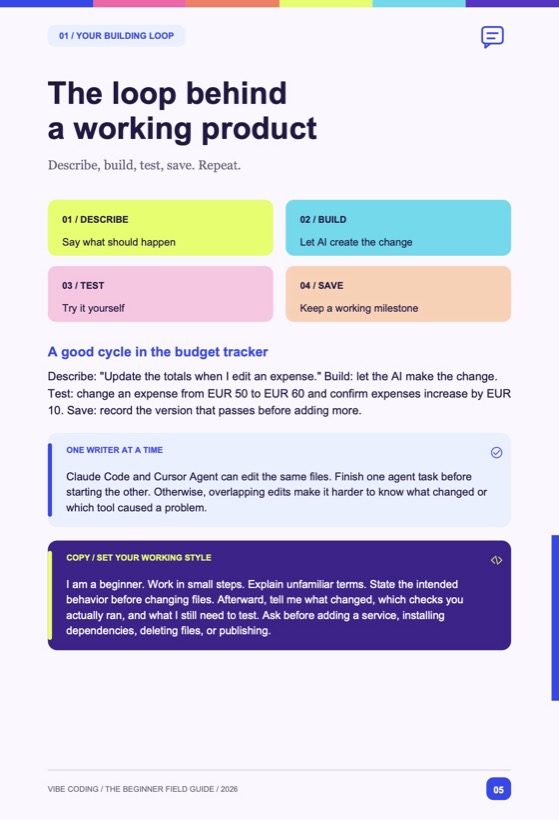
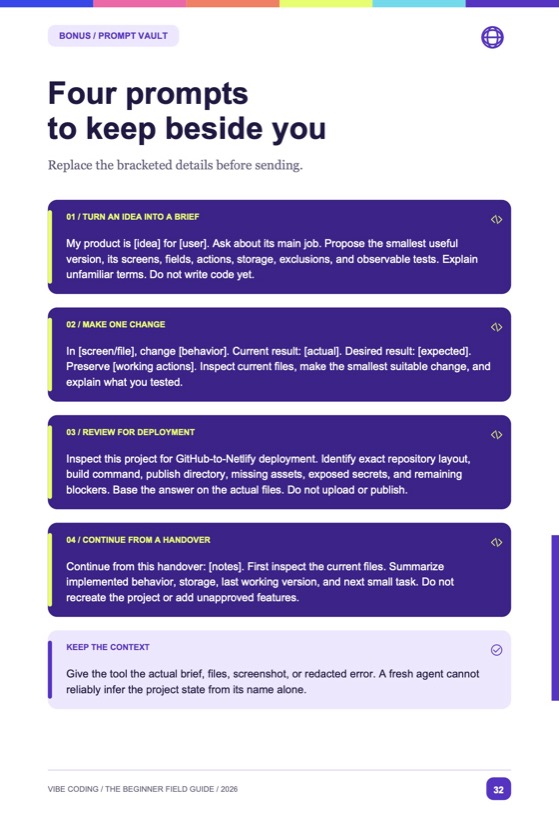
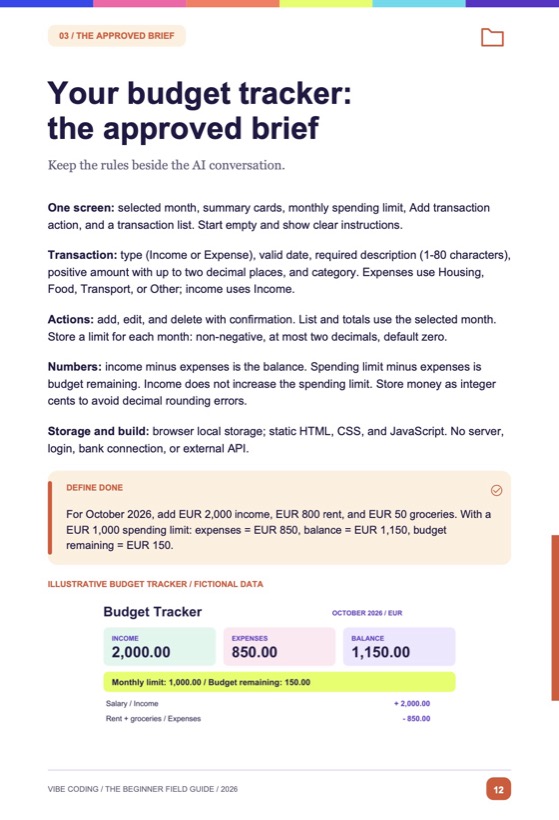
Contents
- 01Think like a builder
- 02Cursor + Claude Code setup (Mac & Windows)
- 03Define your budget tracker
- 04Build, review and test
- 05GitHub to Netlify
- 06Your Namecheap domain
- ++Bonus: prompt vault, product + launch worksheets, 7-day plan, troubleshooting
Your first app is one prompt away.
Start with zero coding skills. Finish with something useful, live on the internet, on a domain you own.
PDF guide · one-time payment
$19
$24
Launch price
- The full 38-page PDF guide, 2026 edition
- Step-by-step setup for Mac and Windows
- The complete budget-tracker project brief
- 4 copy-paste prompts from the Prompt Vault
- Product + launch worksheets and a 7-day plan
- Troubleshooting map and official setup links
Secure checkout with Stripe. Cards, Apple Pay and Google Pay.

Written by
Vladimir Panev
I'm a full-stack developer who builds with AI every day. I wrote this guide for everyone who has ever asked me, “Could I build something like that?” You can. This is the exact route, with no detours and nothing to memorize.
Show me what you build.
Questions, answered.
I've never written code. Is this really for me?
Yes, that's exactly who it's for. You won't memorize a programming language. You'll learn to describe what you want, check the result, and fix problems one small step at a time.
What do I need besides the book?
A Mac or Windows computer, internet, and accounts with Claude, Cursor, GitHub, Netlify and Namecheap. Claude Code needs a paid Claude plan, and the domain costs extra. The book tells you to check each price before you pay, and to buy the domain only after your app works.
How do I get the book?
Pay securely through Stripe and you'll get the PDF right away. Read it on any laptop, tablet or phone.
Is it up to date?
All the setup steps were checked against the official docs on 14 October 2026. Tools change their screens over time, so each step also links to the official page.